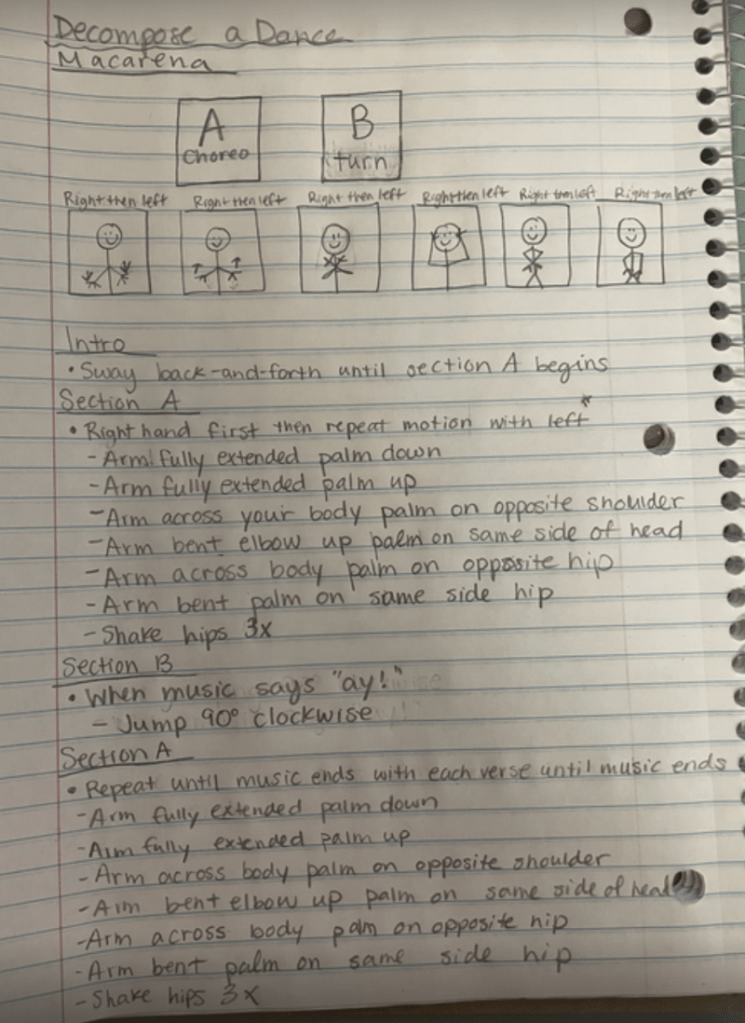
For this activity, I was asked to decompose something familiar. I chose the Macarena. In case it’s been a while, here’s a refresher!
At first, it feels almost silly to break down a dance everyone “just knows.” But once I slowed down and wrote out the steps, I realized how structured it actually is.
I separated the dance into two sections.
Figure 1. Decomposing the Macarena into structured sections and repeatable patterns.
Section A follows a clear right–left repetition pattern. Section B includes the turn, which breaks that symmetry, so it made sense to isolate it. What feels automatic is actually built on sequence and repetition.
My professor pointed out that I did not need to rewrite Section A again later in the process. Since it repeats exactly, I could simply reference it. That feedback stuck with me. Recognizing repetition and avoiding unnecessary rewriting is both efficient and intentional.
Decomposing the Macarena reminded me that even the most familiar routines are structured algorithms. We just do not usually stop to notice.
Starting Unit 3, we focused on decomposition. Not in theory. Not in abstract computer science language. In real life.
The task I chose to decompose was simple: packing my dog’s dinner.
Figure 1. The muse behind the algorithm.
At first, it feels like one task. Feed the dog. Done.
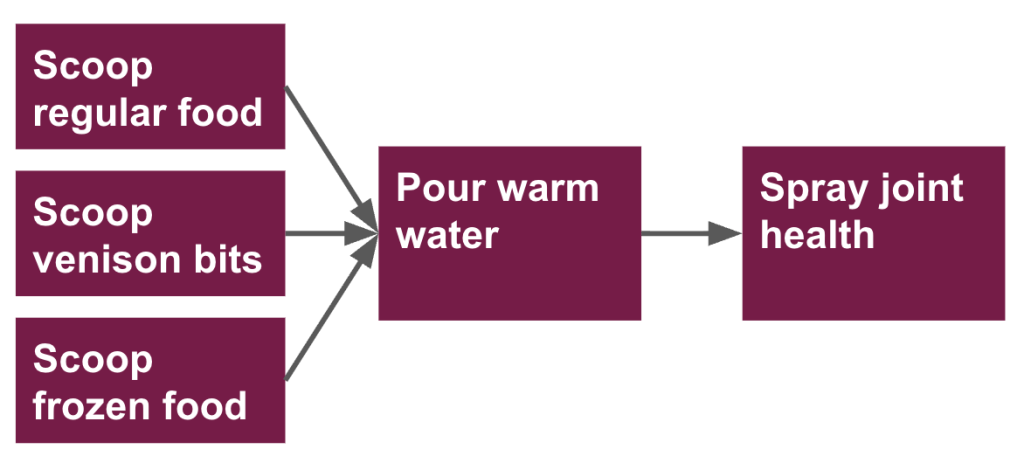
But when I slowed down and listed the subtasks, it quickly became more complex:
Scoop regular food
Scoop venison bits
Scoop frozen food
Pour warm water
Spray joint health
What initially feels automatic actually contains multiple smaller components. That is decomposition in its purest form.
Thinking About Dependencies
The next step was to examine dependencies. What can happen at the same time? What must happen in sequence?
In my case, the three scooping tasks all feed into pouring warm water. The water cannot be poured until the food is in the bowl. The joint health spray comes last.
This step made something clear: decomposition is not just listing steps. It is understanding relationships between steps. Some actions are parallel. Others are dependent. The order matters.
From Decomposition to Algorithms
Finally, I zoomed in on just one subtask: scooping regular food.
Here is the algorithm:
Grab the dog’s food bowl.
Walk to the pantry with the bowl.
Open the pantry.
Open the dog food bag.
Use the cup inside to scoop two scoops of food into the bowl.
Reseal the food bag.
When I look at this written out, I immediately see the connection between decomposition and algorithmic thinking. Decomposition breaks a large problem into parts. Algorithms clarify exactly how to complete each part.
One without the other is incomplete.
This unit reinforced something important for me as an educator. Students often struggle not because they cannot do the task, but because the task feels too big. Teaching them to decompose and then write clear, precise steps gives them a structure for problem solving.
And apparently, it also ensures my dog gets dinner correctly!
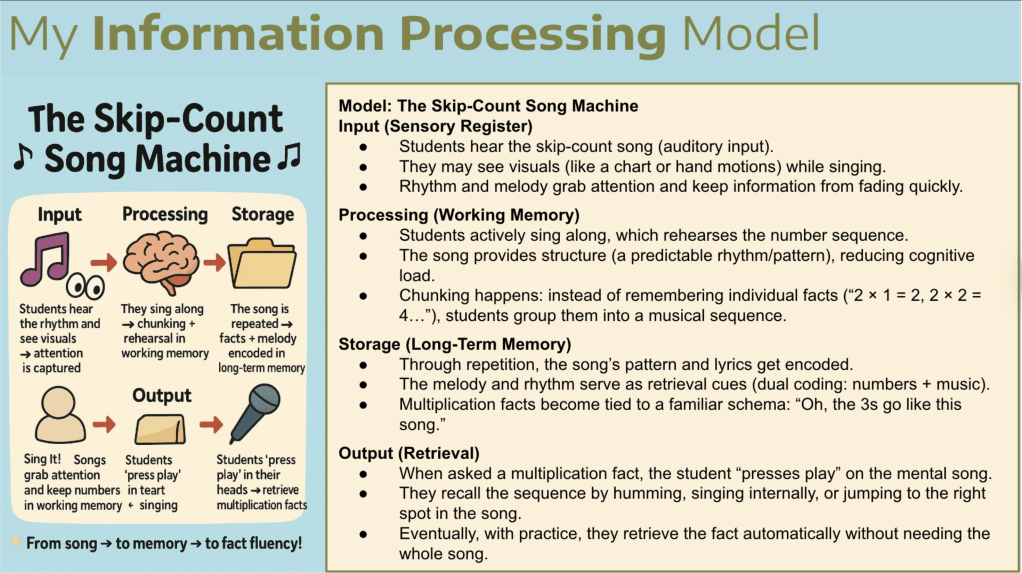
If you walk into my classroom during math time, you will probably hear us singing. Skip-count songs are one of my favorite tools for teaching multiplication because they really work! Kids connect to rhythm and melody much faster than to a plain list of numbers. I have seen the magic firsthand. A student who struggles to remember 6 × 7 can sing through the sixes, use their fingers as markers, and suddenly the answer is right there.
What I love about these songs is how they give students a clear path. The melody keeps the sequence organized, the rhythm sets the pace, and the lyrics help explain the idea of groups of numbers. Instead of juggling disconnected facts, students get a sense of flow and connection. They can visualize the groups, keep track on their fingers, and hear the numbers in order at the same time.
When I created my Skip Count Song Machine model using the Information Processing lens, it confirmed what I already knew from experience. The songs grab attention during input, support practice and chunking during processing, strengthen memory during storage, and make recall easier when students solve a problem during output. Beyond the theory, what matters most is that these songs make multiplication feel doable. They are fun, engaging, and confidence building, and that is what makes them powerful.
For our Algorithms Unit, I designed a lesson centered on a simple yet powerful idea: algorithms extend far beyond computer science.
My artifact, “Get to Class”, presents students with a realistic problem. A new student has joined our class, but they have never been in the building before. The task is clear: create the perfect algorithm to help them get from the front door to their table.
An algorithm, as we defined in the lesson, is simply a clear set of step-by-step instructions used to solve a problem. But what makes this activity meaningful is our emphasis on precision.
It immediately reminded me of a science lesson I have done for years: asking students to write instructions for making a sandwich, then following them exactly as written. If they forget to say “open the jar,” I smear peanut butter on the lid. If they say “put the bread down,” I drop it on the floor. The chaos is funny, but the lesson sticks. Precision matters!
This artifact builds on that same idea. Students must:
Break down the building into parts.
Identify landmarks.
Use clear directional language.
Draw a simple floor plan.
Test their algorithm to see if it actually works.
Computational thinking shows up naturally. Students decompose the space, sequence their steps, and refine their instructions when something is unclear. They also practice empathy. By imagining what it feels like to be new, the task connects to social-emotional learning in an authentic way.
What I appreciate most about this creation is how clearly it connects theory to practice. Algorithms are not abstract coding concepts. They are how we navigate hallways, follow recipes, build shapes in math, and explain our thinking.
Everything we do can be broken down into an algorithm!
This unit reinforced something important for me: computational thinking is not about screens. It is about clarity, precision, and helping students understand that words matter, especially when someone else has to follow them.
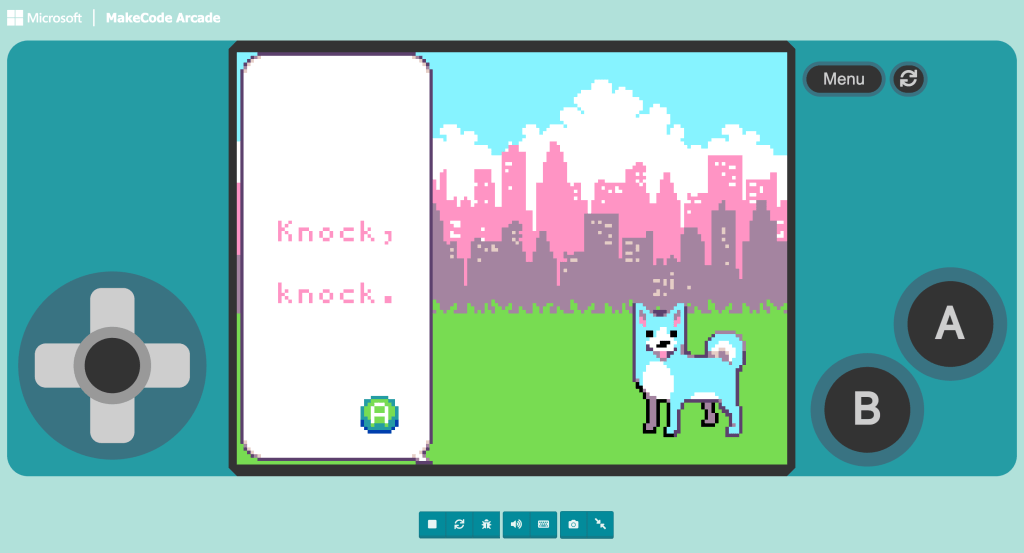
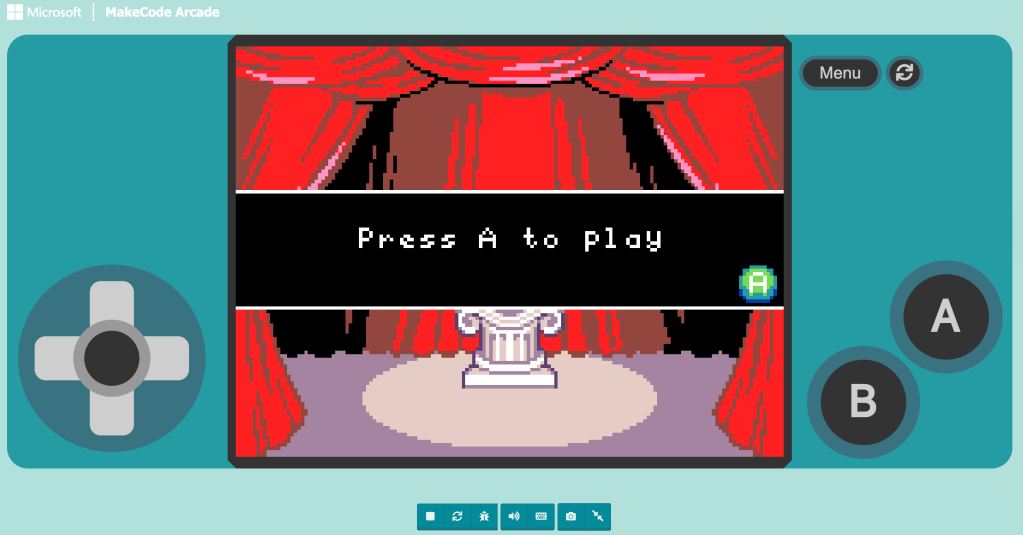
After designing a lesson that highlighted computational thinking in geography, I stepped into something completely different: creating a knock-knock joke in MakeCode Arcade.
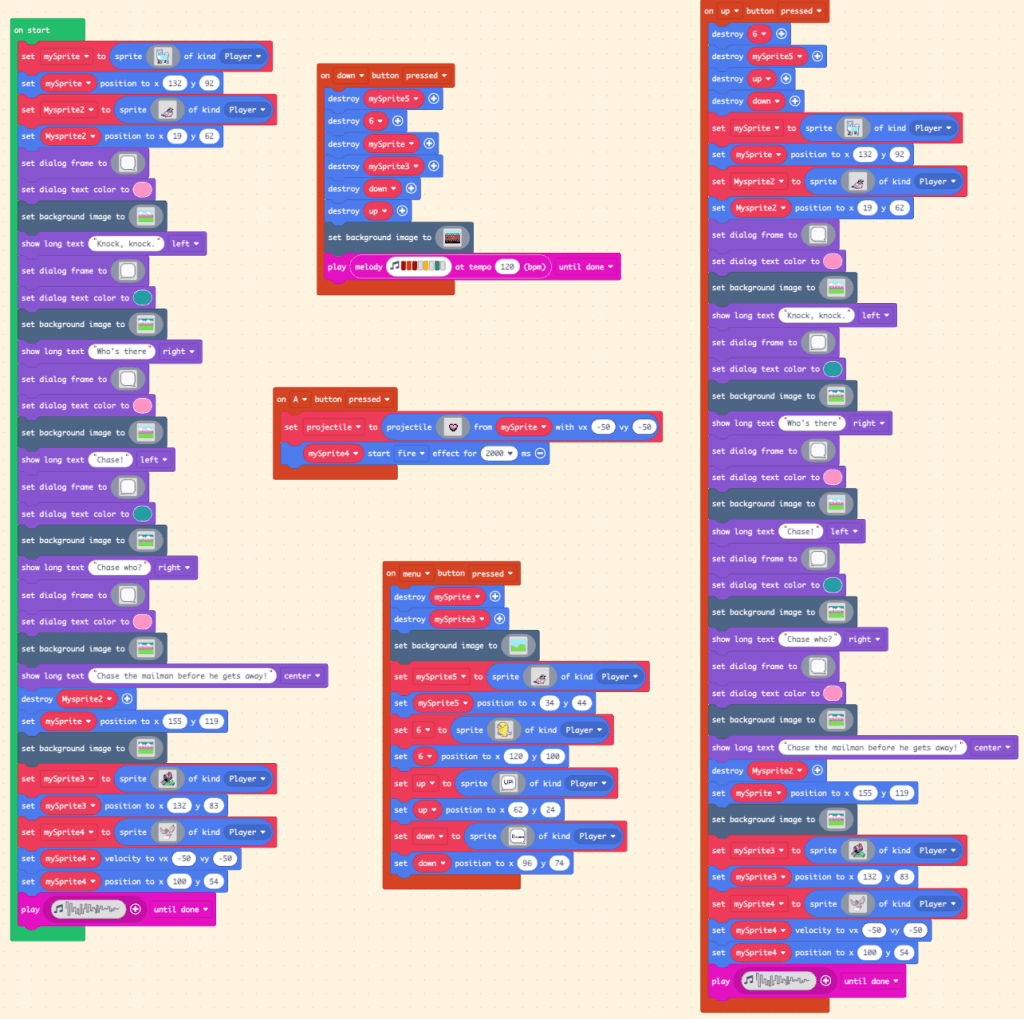
At first, it sounds simple. It is just a joke. But building it in code forces me to think differently. I have to break down the entire interaction into small, logical steps. What happens first? What triggers the response? What should appear on the screen next? That is decomposition in action.
Even something as familiar as a knock-knock joke has a structure. There is a predictable sequence: “Knock, knock.” “Who’s there?” Name. “Name who?” Punchline. Translating that pattern into code makes the structure visible. That is pattern recognition. When I get stuck, I revisit previous projects from the beginner skill map and look for familiar code structures. Recognizing patterns in earlier work helps me build new functionality with more confidence.
Figure 1: Every punchline has a process: a look at my code for this assignment.
I also found abstraction challenging. MakeCode offers so many buttons and possibilities, and I kept wanting to add extra features simply because I could. Focusing only on what was essential to the joke took discipline, although I did experiment a bit beyond the scope of the assignment.
What I love about this project is how clearly computational thinking shows up. Humor, logic, sequencing, and debugging all connect. If the timing is off or the button triggers the wrong response, the joke falls apart. Code does not allow ambiguity.
This creation reminds me that computational thinking is not just about building complex games. It is about structure, precision, and intentional design, even in something as simple and playful as a knock-knock joke.
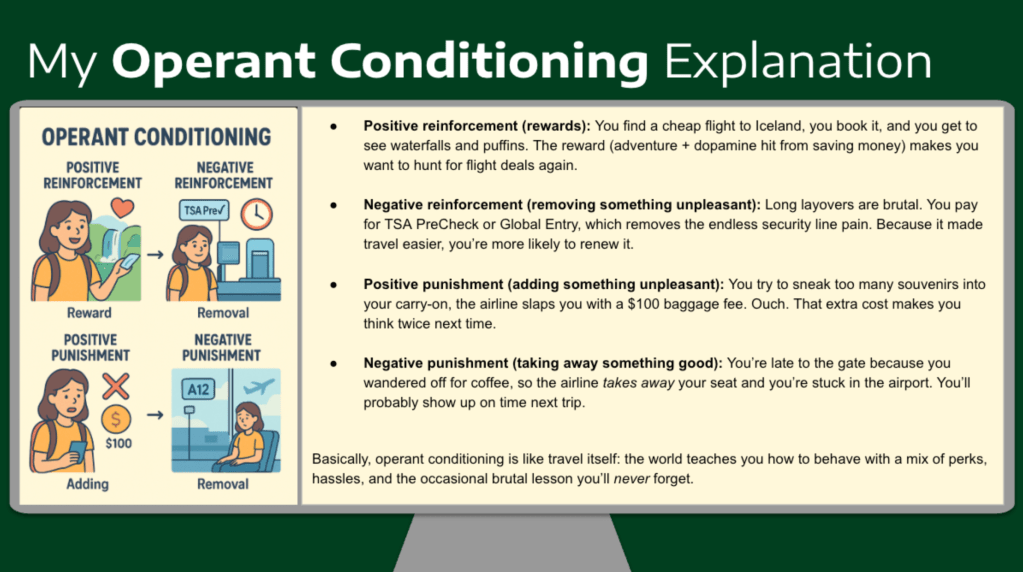
I asked ChatGPT to relate my love for traveling to OC, and I can see how these have played a role in my life! Positive reinforcements could be cheap flights or lodging. Negative reinforcements would be paying for PreCheck or a nice hotel. Positive punishment would be a charge on an overstuffed carry-on, and finally, a negative punishment would be missing a flight. I have experienced all of these positives and negatives! It is interesting to see how it has changed my behavior when traveling.
I think one challenge OC faces is the potential for a post-reinforcement pause in behavior. The “I have my reward, so I’m done” mindset. This was described for most partial reinforcement schedules. Another challenge would be that with a continuous reinforcement schedule, extinction is likely at a faster rate.
*My ChatGPT crashed so the graphic I was able to screenshot before it vanished is not in the shared link 😦
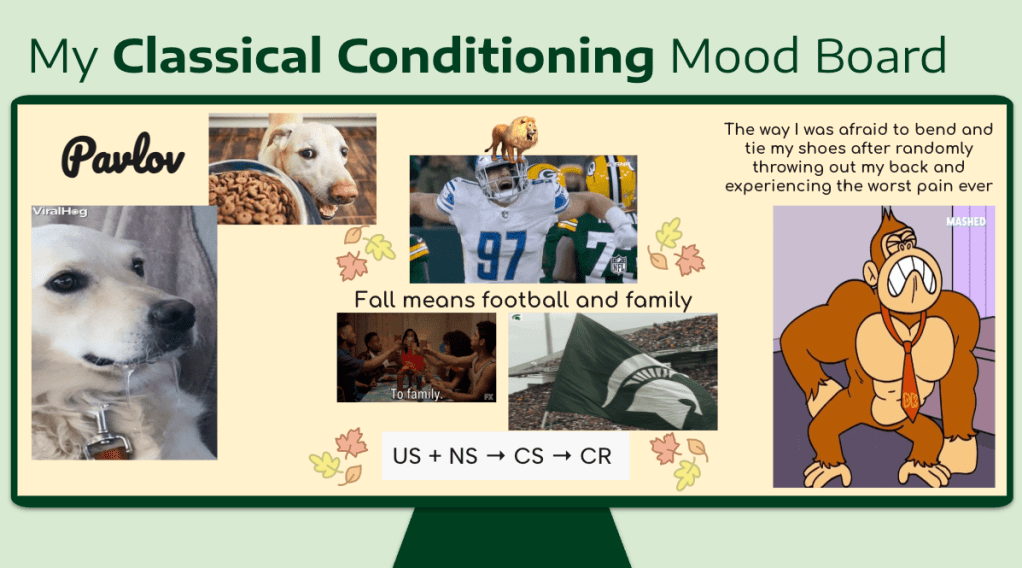
My mood board has a few images reflecting Pavlov’s work with dogs. It was fun to read more about him because I never realized his findings were not his original intention. I have added US + NS → CS → CR to show how CC works. I included a silly little GIF of DK hunched over, grabbing his back, because I was classically conditioned to be afraid of tying my shoes (CR). A few years ago, I was training for a run. I sat down to tie my shoes (as I ALWAYS had, also the NS), and when I stood up, I experienced the worst pain of my life (US). I was stuck lying on our tile floor for two days, made it to the chiropractor, and was walking hunched over for a few days after that. Now, I’ve added morning and evening stretching times to hopefully prevent that from ever happening again.
Lastly, I added fall, family, and football! This is my favorite time of the year. Football season is starting, and I grew up in a family that loves sports. We’ll tailgate, have watch parties, and eat great food! When the weather starts to cool down, I know all the family fun is about to start.
When I think of negatives related to CC, I think of how it could be used to exploit young or vulnerable minds. I also am very curious about how it relates to media and our perception of things. When reading the point of ethical concerns related to CC being “manipulation of preferences, encouraging impulsive behaviors, and reduction of human agency,” I was concerned and intrigued to learn more.
When I started Computational Thinking for K–12 Educators, I assumed we would jump straight into coding. Instead, my very first artifact was a third-grade geography lesson titled “Where Is Home?”
The lesson asks students to use a world map to locate North America and Michigan relative to continents and oceans. At first glance, it looks like a straightforward social studies objective. But through this assignment, I begin to see computational thinking differently.
Students break the world into smaller pieces: continents, then oceans, then North America, then Michigan. That is decomposition. They notice how continents are positioned relative to one another. That is pattern recognition. They focus only on the information necessary to find their location, ignoring extra map details. That is abstraction.
Nothing about this lesson involves computers. Yet it fully encompasses computational thinking.
This assignment shifts my perspective. CT is not a separate subject, but a way of thinking. It shows up in how students organize information, break down problems, and make sense of systems.
My introduction to computational thinking does not begin with coding. It begins with a map.
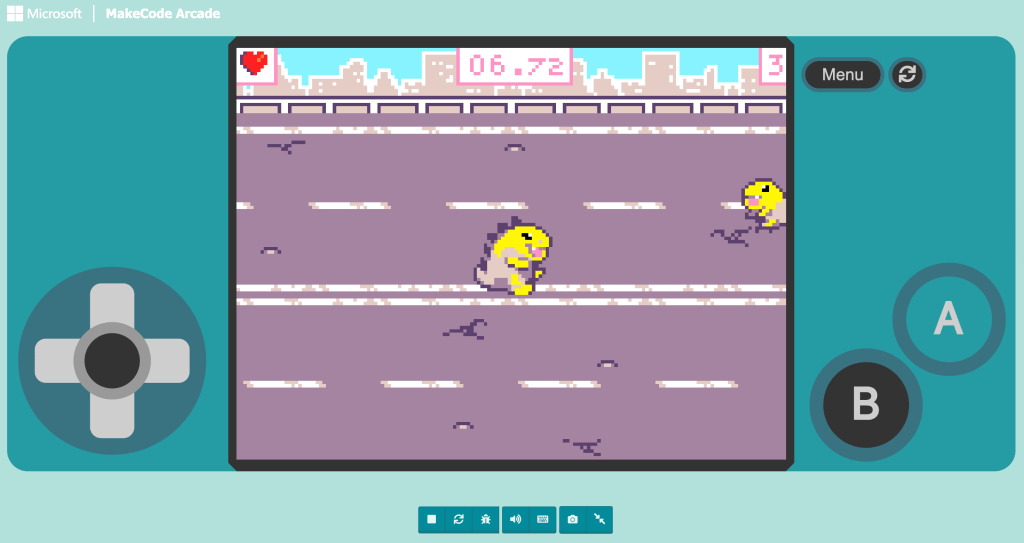
This week, I was introduced to Microsoft MakeCode Arcade. I had an inkling I would like it, but I quickly realized I loved it.
I began with the beginner skill map, working through guided projects to understand how sprites, movement, events, and scoring systems work together. My first two creations were simple games titled Animate It and Clicking Superstar.
What stood out to me immediately was how accessible MakeCode felt. It is free, visual, and the coding blocks are fairly intuitive. I could see my code and my game side by side. I tested something, adjusted it, and instantly saw the impact of my changes. That feedback loop made experimentation feel safe and manageable.
Even in these early projects, I was already engaging in computational thinking. I was decomposing tasks, recognizing patterns in block structures, sequencing events, and debugging when something did not behave as expected.
More than anything, I found myself thinking about my classroom. MakeCode removes so many barriers. It does not require expensive equipment or prior coding experience. It invites creativity while still demanding logic and precision.
That combination felt powerful.
Below are my first two projects from the beginner skill map:
Part of my journey in the MAET program is creating a Capstone Preparation Document. It’s a running collection of my best work: the projects, reflections, and ideas that represent my growth throughout the program.
The goal is to have a place where I can look back, pull out key pieces, and be ready for the capstone course when it’s time to create my Annotated Transcript, Showcase, and Synthesis Essay. For now, it’s a work in progress, and I’ll be adding to it as I move through each unit.


 Alexis Flanders