For my final project, I designed a third-grade social studies unit that weaves computational thinking into map skills and navigation. What began as a simple idea about teaching directions became something much bigger. It turned into a five-lesson sequence integrating decomposition, abstraction, algorithms, debugging, and digital creation.
At first glance, it looks like a social studies unit about maps. But underneath, it is computational thinking in action!
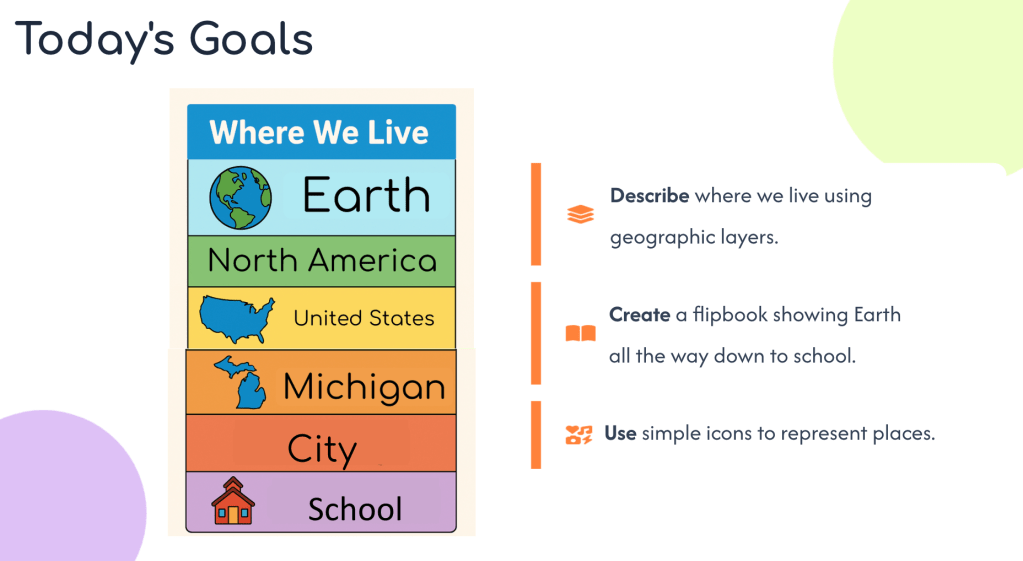
Students begin by identifying where they live in nested geographic layers: Earth → North America → Michigan → City → School (see supplemental materials, p. 1 Final Supplemental Materials). That layering alone introduces abstraction. We zoom in and zoom out, deciding what matters at each scale.
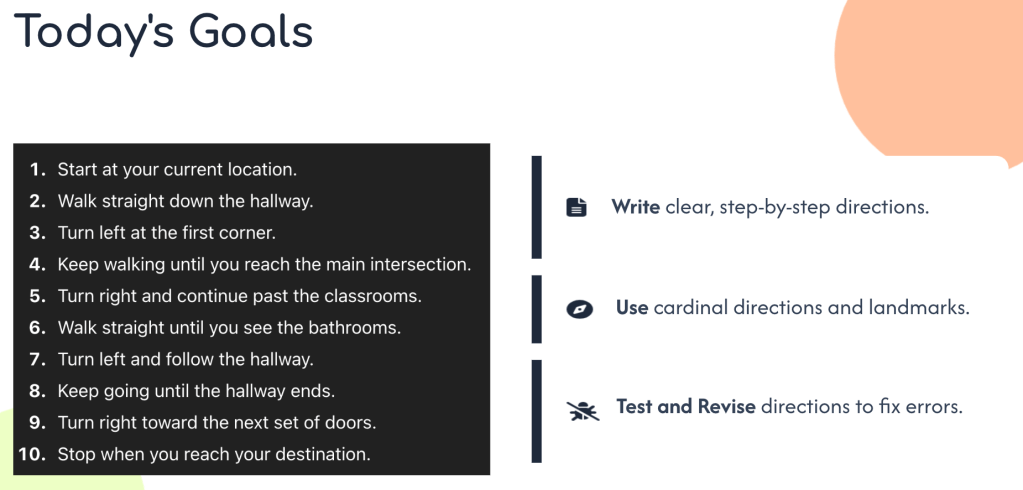
From there, students analyze and create school maps (p. 9 Final Supplemental Materials), write step-by-step navigation instructions using landmarks and cardinal directions (p. 13 Final Supplemental Materials), revise those directions after partner feedback (p. 23 Final Supplemental Materials), and eventually build digital mazes in MakeCode Arcade.
What looks like map practice is actually:
- Decomposition: Breaking navigation into manageable steps
- Algorithms: Writing clear, ordered directions
- Debugging: Testing directions with a partner and revising when they fail
- Abstraction: Designing maps with only essential details
- Automation: Turning clear instructions into repeatable digital behavior
The final “Design Your Own Navigation Challenge” pushes students to synthesize everything (p. 19–21 Final Supplemental Materials). They create a challenge, design a simplified map, write precise directions, test with a partner, revise, and then imagine a digital upgrade.
It’s playful, structured, real thinking!
About the MakeCode Component
I intentionally kept the MakeCode portion simple. Click the map to test my example!
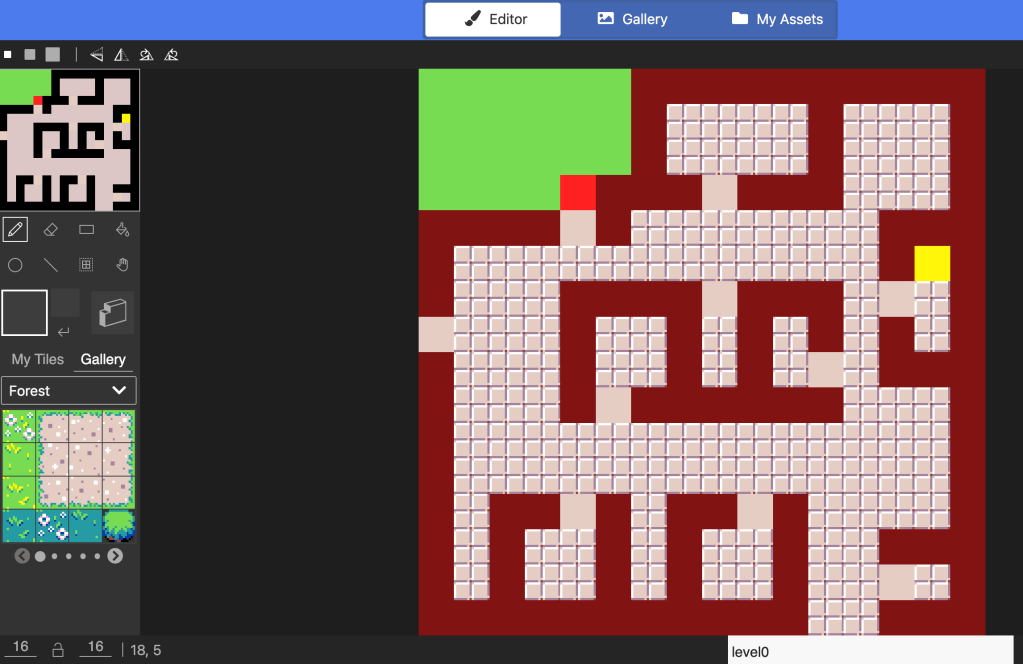
It was actually harder to make it simple than to make it complex. I wanted this to feel realistic for third graders encountering block coding for the first time. The goal was not a flashy arcade game. The goal was clarity.
Students apply their written algorithms to a digital maze, where mistakes immediately surface. The computer does not “interpret.” It follows instructions exactly. That tension is where learning happens.
A New Tool I Tried
For this project, I experimented with something new: uploading my slides into Google Vids and using the AI voiceover feature. It generates narration that aligns with slide content, adds transitions, and even infers context (how cool)! The voiceover for this unit was entirely AI-generated from my slides.
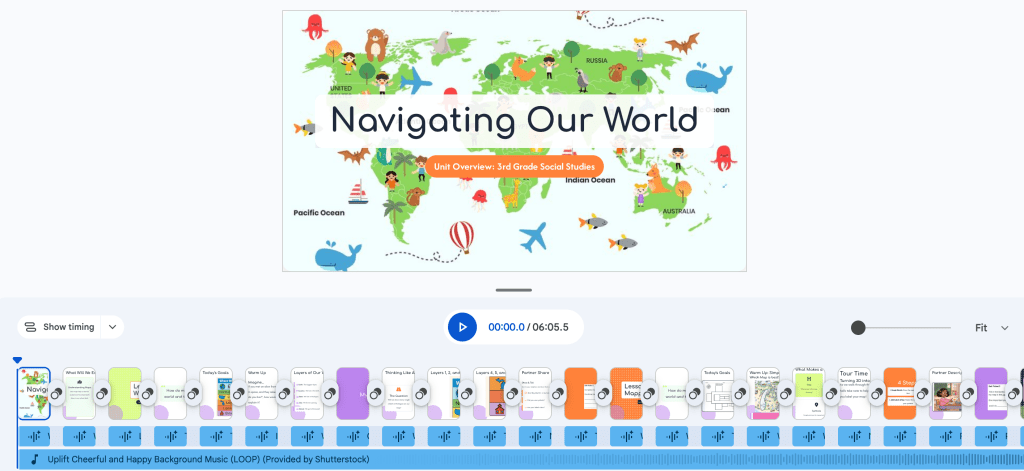
It was surprisingly natural.
This tool is currently blocked on my MSU account, so I tested it using my personal account. I wanted to include it because I think it’s a powerful option for teachers who need accessible, flexible presentation tools.
What This Project Changed for Me
Designing this unit made something obvious: computational thinking already lives in my classroom. I just did not always name it.
When students revise directions, they are debugging.
When they simplify maps, they are abstracting.
When they break a route into steps, they are decomposing.
My professor challenged me to make the computational thinking vocabulary more explicit with students. I agree. Third graders are capable of those words. Naming the thinking gives it weight.
This unit does not add computational thinking to social studies.
It reveals it!
Artifacts & Materials
- Full Unit Plan: Navigating Our World Through Computational Thinking (Google Doc)
- Final Unit Slides (Google Slides)
- Supplemental Materials (Canva Link)
- MakeCode Maze Project (Play Here)
- Google Vids AI Voiceover Lesson (Google Vids)
AI Use Disclosure
I used AI as a support tool while creating this unit. AI helped me check grammar, generate a few images, and create slides. All decisions about the content, structure, and final materials were made by me.
 Alexis Flanders
Leave a comment