If there is one constant in this course, it’s this: MakeCode Arcade is my favorite part of every unit!
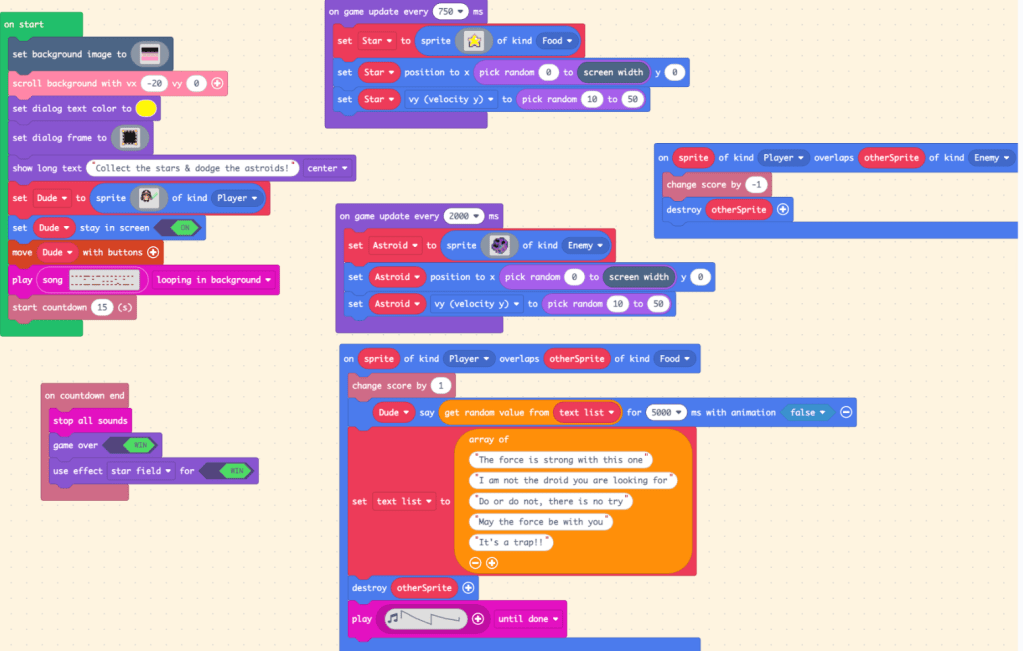
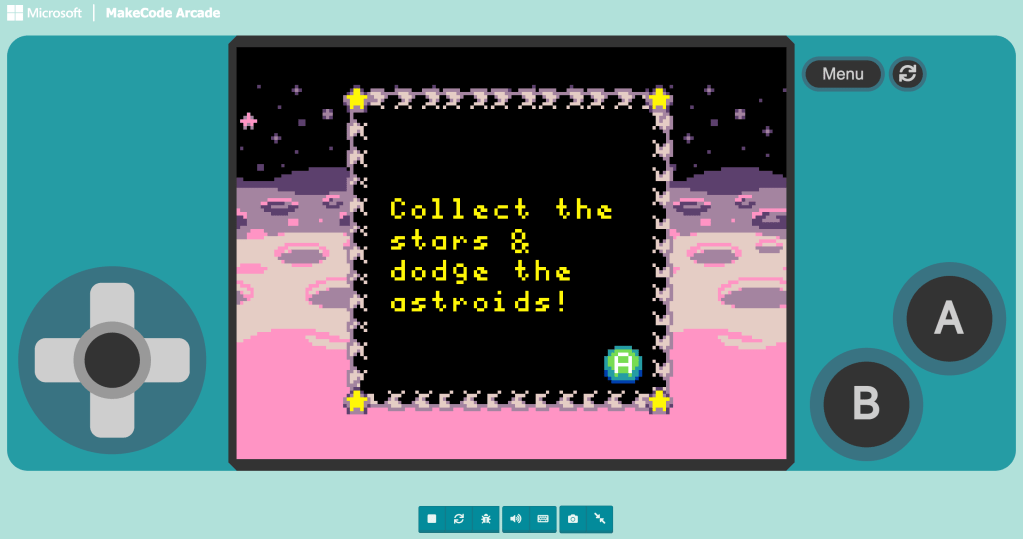
For this creation, I built a Jedi-themed game. The concept sounds simple. A character runs across space collecting stars and dodging asteroids. Stars add points. Asteroids subtract them. A countdown runs. The Star Wars–inspired theme plays in the background. Collect a star and the Jedi says something dramatic like, “Do or do not, there is no try.”
Simple. Except it wasn’t.
When “Simple” Breaks
What looked straightforward on paper quickly turned into a debugging session. Stars were spawning in one place. My score was skyrocketing even though I was certain I had destroyed the sprite after awarding +1. Things were happening…just not the way I thought they should.
That was the moment computational thinking became real. I had to stop assuming and start observing. What was the code actually doing? Not what I intended and not what I pictured. What was it actually doing? That change in thinking matters.
Computational Thinking in Action
This project forced me to use multiple components of CT:
- Decomposition: I broke the game into parts. Player movement. Star spawning. Asteroid spawning. Overlap logic. Scoring. Countdown.
- Pattern recognition: I noticed that my star and asteroid logic followed a similar structure. Once I saw that pattern, I reused and adjusted instead of rebuilding from scratch.
- Abstraction: Instead of writing separate dialogue blocks for each Jedi quote, I created a list of sayings and pulled from it randomly. One structure with multiple outputs.
- Algorithmic thinking: I had to think step by step about what happens first, what triggers next, and what conditions change the outcome.
Even the music became part of the abstraction conversation. In earlier projects, I had used solfege, which was incredibly limiting. This time, I used the sheet music tool and built a looping background theme using structured notation. Instead of isolated tones, I was thinking in sequences and patterns.
That felt like I was leveling up.
What the Player Sees vs. What’s Actually Happening
From the outside, the game looks playful:
- A Jedi hobbling across a planet in space
- Raining stars and asteroids
- Random quotes popping up
- A dramatic looping theme song
Click to play my game:
But underneath that is logic layered on logic. Every visual moment depends on conditions, timing, variables, and structure. When one tiny piece is off, the whole illusion cracks.
Why This Matters
What I appreciate most about MakeCode is that it forces thinking into the open. You cannot hide incomplete logic. The computer does exactly what you tell it to do. Debugging becomes less about frustration and more about investigation. What assumption did I make? What step did I overlook? What rule did I forget to define?
The hands-on process makes computational thinking tangible. Not theoretical. Not vocabulary. Not a worksheet definition. It’s thinking you can see.
And honestly? That’s the experience I want my students to have too!
 Alexis Flanders
Leave a comment